Popup & action buttons
Click TabPico in Chrome's toolbar. Search is at the top, current-tab tools in the middle, and recording status and archive links below. The gear opens Settings.
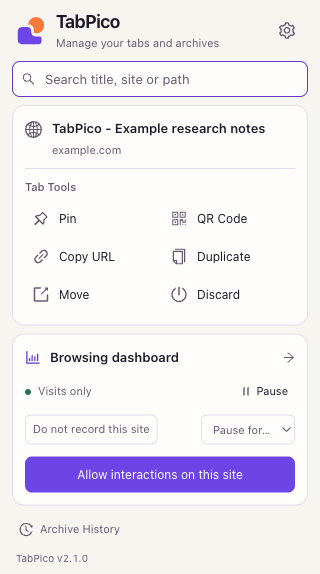
Find a page by title, website, or path
- Type a keyword in Search titles, sites or paths, for example
research,example.com, or/notes. - Read the source badge: Open tab switches to that tab; Archive restores an archived address; Visit opens an address from retained or imported browsing records.
- Click a result, or select with the arrow keys and press
Enter. PressEscto clear the query.
Open tabs and archives do not require visit recording. A manually closed page can only appear under Visit if it was recorded at the time and is still retained. Enabling recording does not import earlier Chrome history.
Use the current-tab buttons
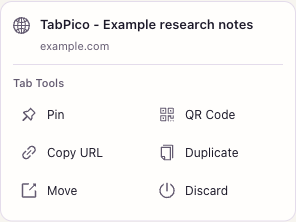
| Button | Result |
|---|---|
| Pin / Unpin | Pin the tab at the start of the tab strip, or undo it. Pinning removes it from its group. |
| Copy URL | Copy the current tab's full address to the clipboard. |
| QR Code | Show a QR code for this address. Close it with the close button or Esc. |
| Duplicate | Create a deliberate copy of the tab, even when existing-page reuse is enabled. |
| Move | Move the tab into a separate browser window. |
| Discard | Release tab memory while keeping its address and tab. Returning may reload the page; save edits first. |
Recording shortcuts and archives
On an ordinary website, choose Start visit recording and allow this site or Allow page interactions on this site. Confirm Chrome's permission request to begin collecting eligible interactions.
During recording, use Pause, a timed pause of 15 minutes or 1 hour, or Do not record this site. Resume when ready. The status describes the current page; protected browser pages cannot be collected. See Recording & website access.
Archive History opens saved tabs. Unread archive logs also have a link and count when present; the toolbar badge indicates unread archive records.