
Find pages & review activity
Recover pages by time
Visit recording must have been on when the page was visited.
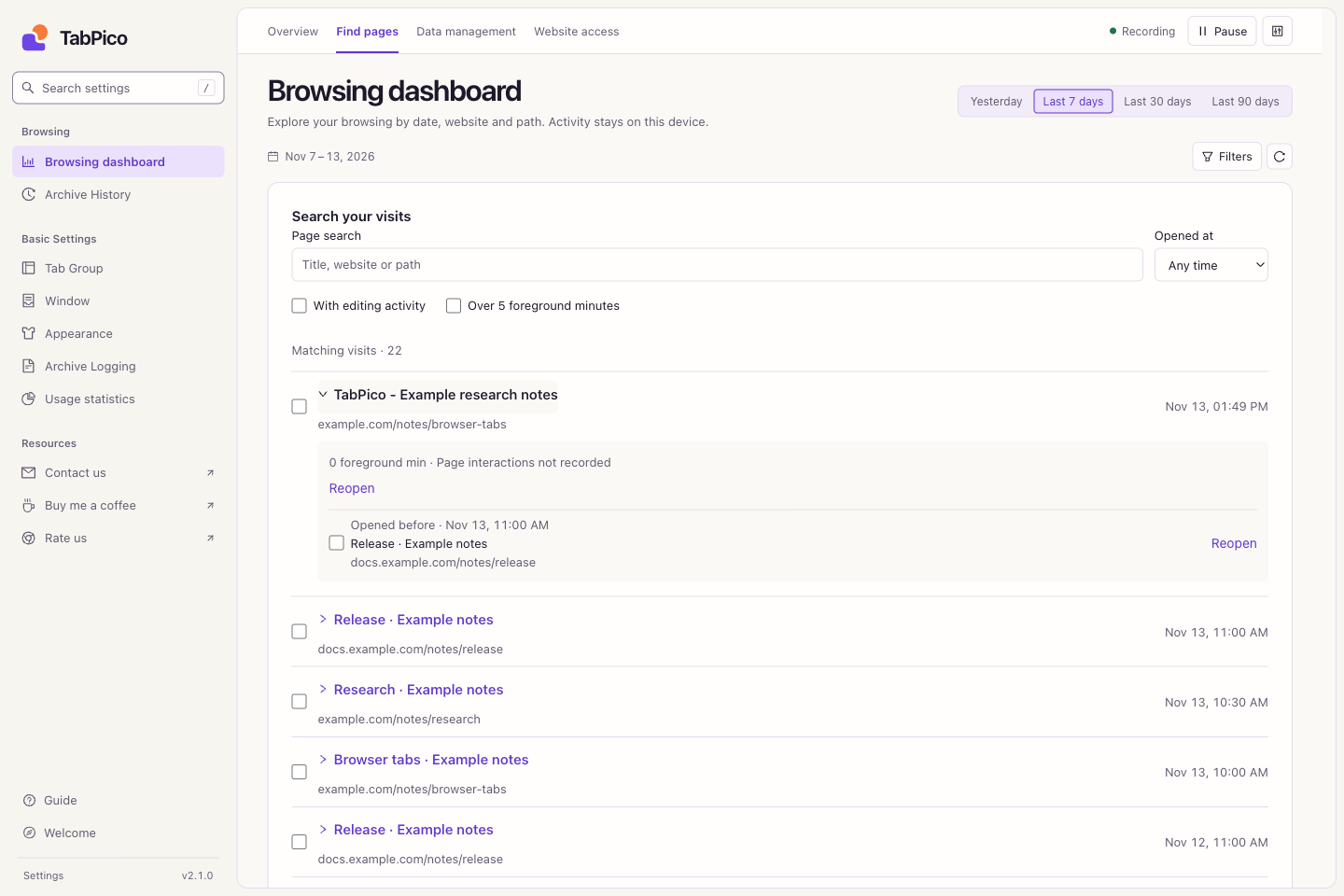
- Open Browsing dashboard → Find pages. Select Yesterday or a date range, then narrow the opening-time range if useful.
- Search by title, website, or path. Try the activity filters, such as more than five foreground minutes or recorded editing.
- Expand a result to inspect its time, retained interactions, and previous/next page. Neighbors are visits ordered by opening time within the selected dates, rather than proof of a shared task.
- Reopen one page, or select several and reopen the selection. Website login, forms, and unsaved content depend on the website and are not restored.
If nothing matches, remove activity filters first and widen the dates. An editing filter requires interactions captured at that time.
Reopen the exact article
Addresses normally omit query parameters. If an article needs id=123, open Data management → Reopening URL rules, enter the exact website origin and the case-sensitive parameter name id, check the preview, and save. Separate multiple names with commas.
Only retain non-sensitive parameters needed for navigation. The rule applies to future visits; discarded parameters cannot be recovered. Statistics still group by query-free path, and the reopening address is included in Excel exports.
Review website and path trends
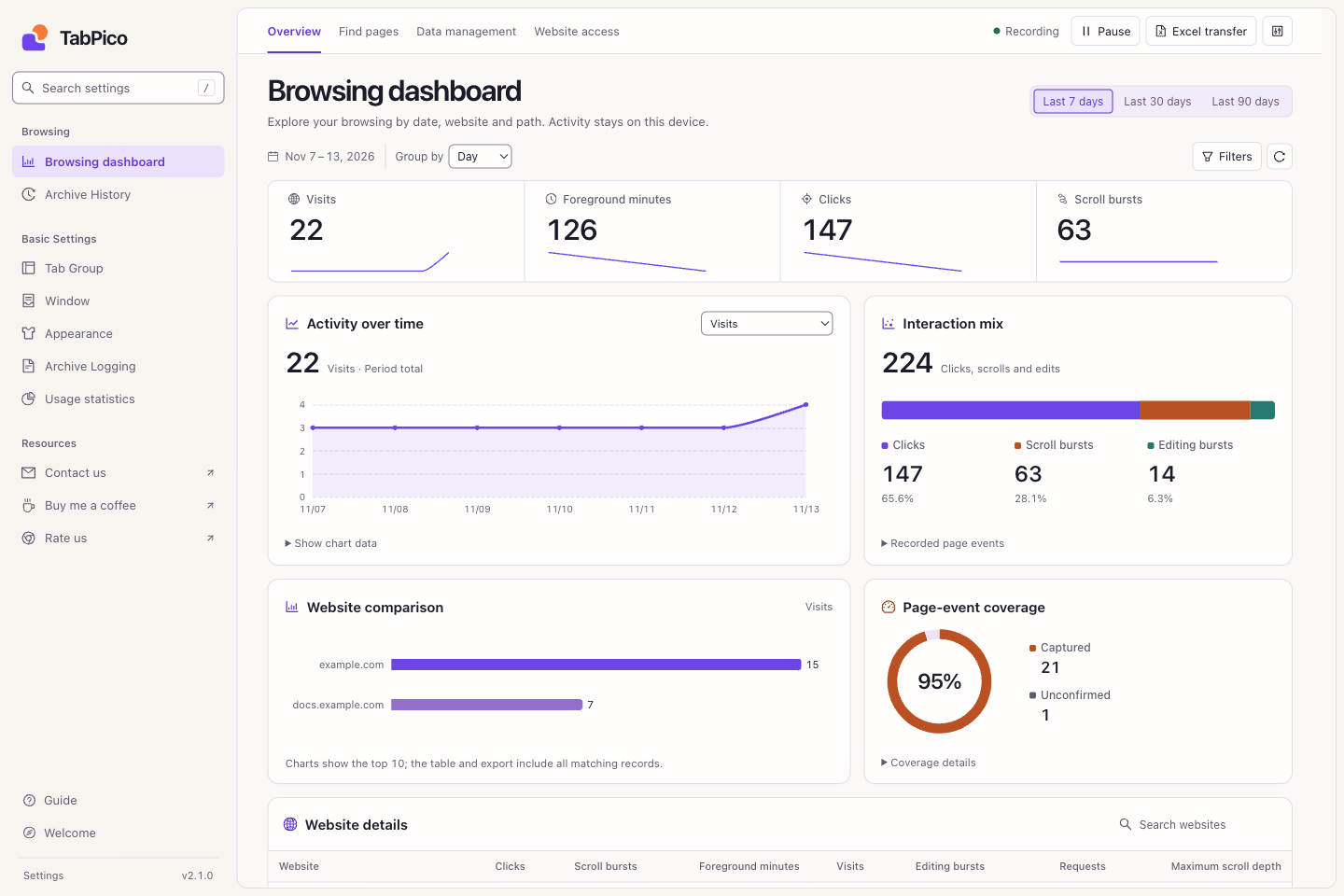
- In Overview, use Filters for dates, website, and path. Choose day, week, or month grouping.
- Select a chart measure, such as visits or foreground minutes; expand chart data to inspect numbers.
- Open a website in Website details to drill into its paths. Use interaction coverage and the breakdown to interpret clicks, scroll bursts, edits, and maximum scroll depth.
Rankings show up to ten results; tables and Excel include all matching records. Dates follow your device calendar, and weeks begin on Monday. Reactivating a tab alone does not necessarily create a visit; reloads or path changes create new visit segments.
Read the measures correctly
Foreground time estimates exclude unfocused browser windows and idle periods. Continuous scrolling and editing are combined into bursts, so they are not wheel-tick or keystroke counts. Not recorded differs from an observed 0, and permissions granted now do not fill historical gaps. Requests can happen automatically. These observations do not establish productivity or task completion.